A book from your shelf, turned into an audiobook
You photograph the pages or drop in a document, AI reads the text, you correct it, and text-to-speech reads the whole thing in the voice you choose. Use cloud providers, or keep all of the processing on your own computer.
Audior Desktop is in development and cannot be downloaded yet. This page shows what is being built. Windows, macOS and Linux builds will appear on the download page on release day.
Download page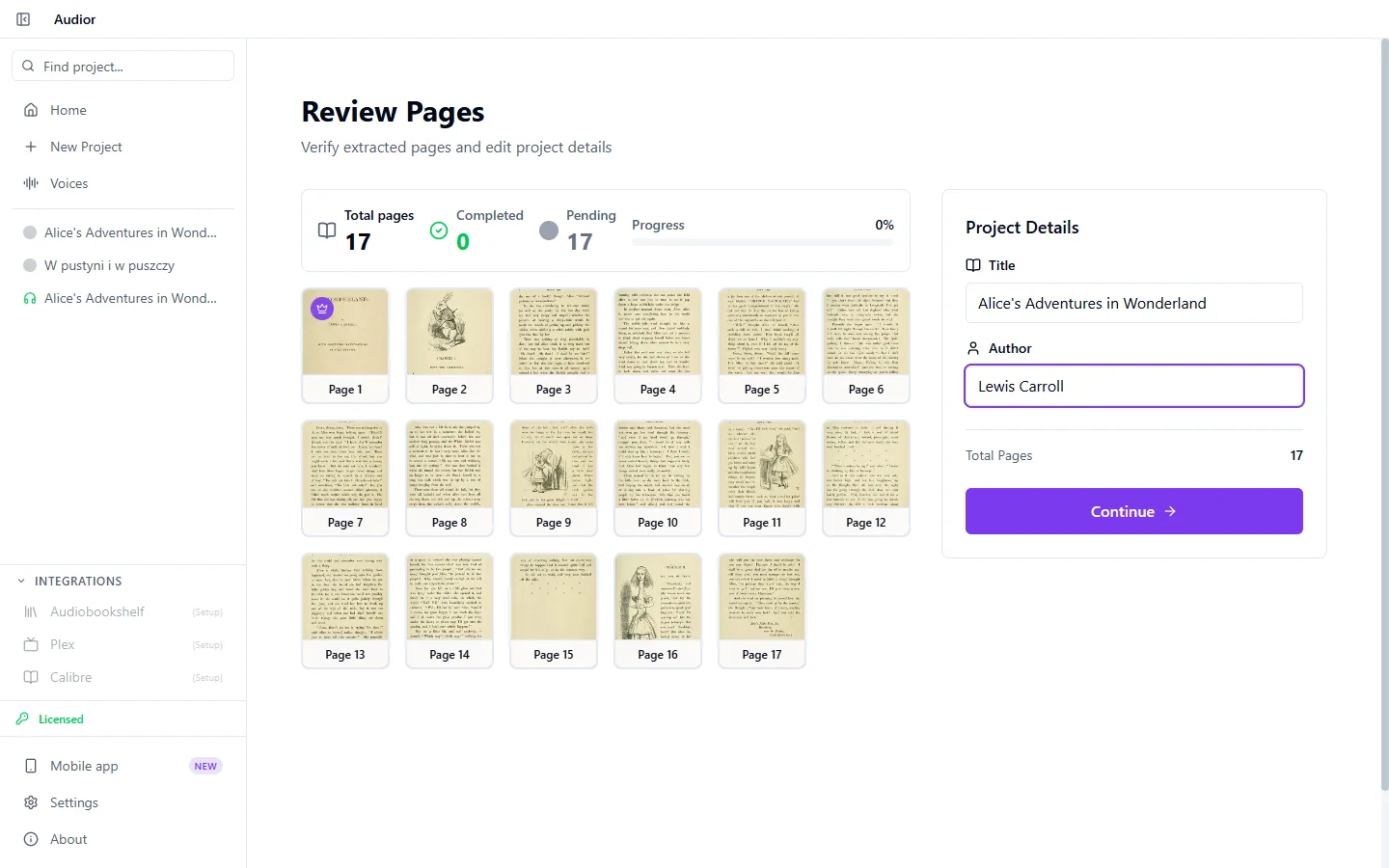
Photos, PDF or an e-book
Drop in photos of the pages, a PDF or an e-book. Text formats, meaning EPUB, DOCX, TXT and HTML, are read directly, with no image recognition involved.
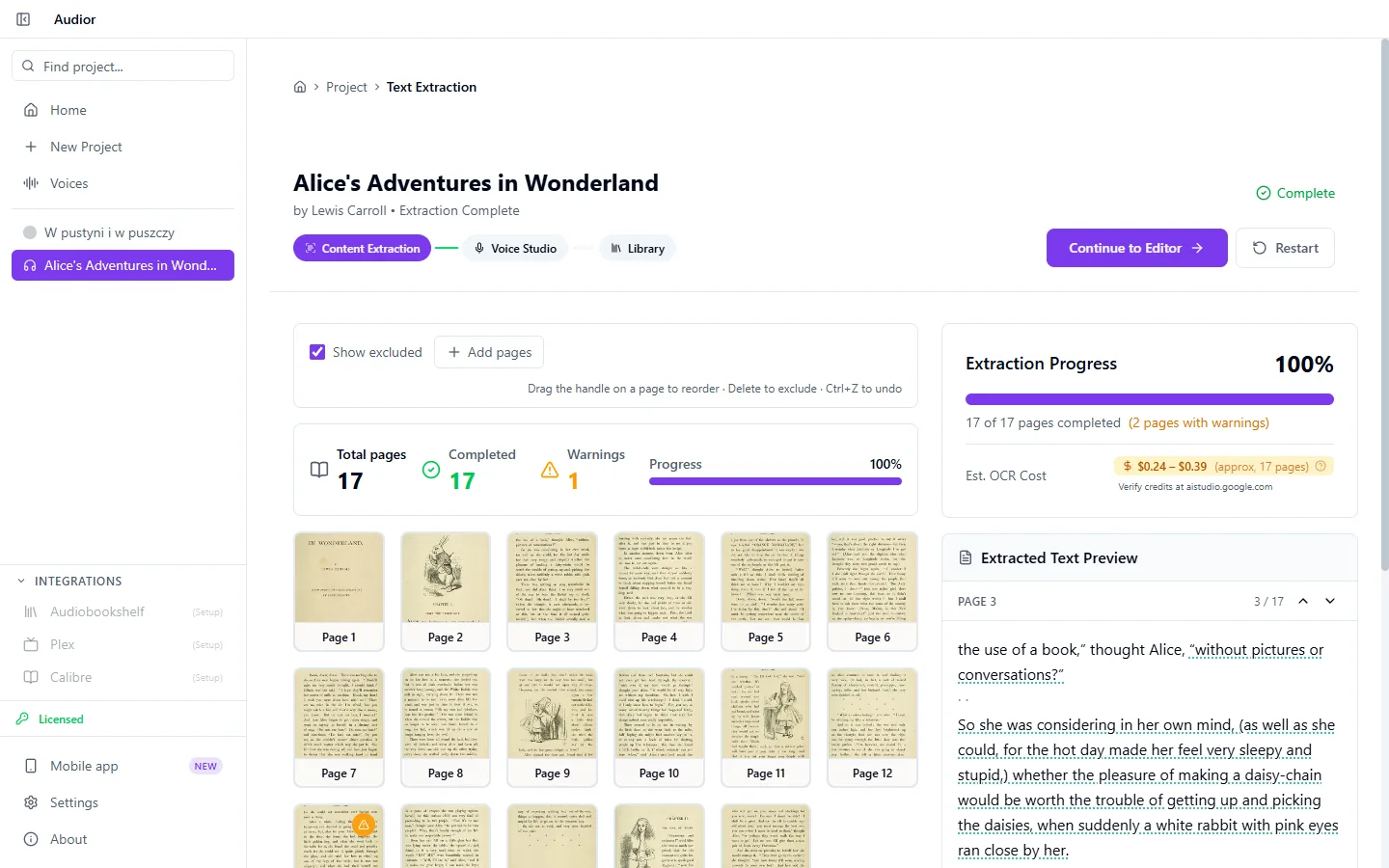
AI reads the text off your page photos
Recognition can use Gemini, OpenAI, Anthropic or OpenRouter in the cloud, or Ollama running locally on your computer. Which languages are covered depends on the model you pick.
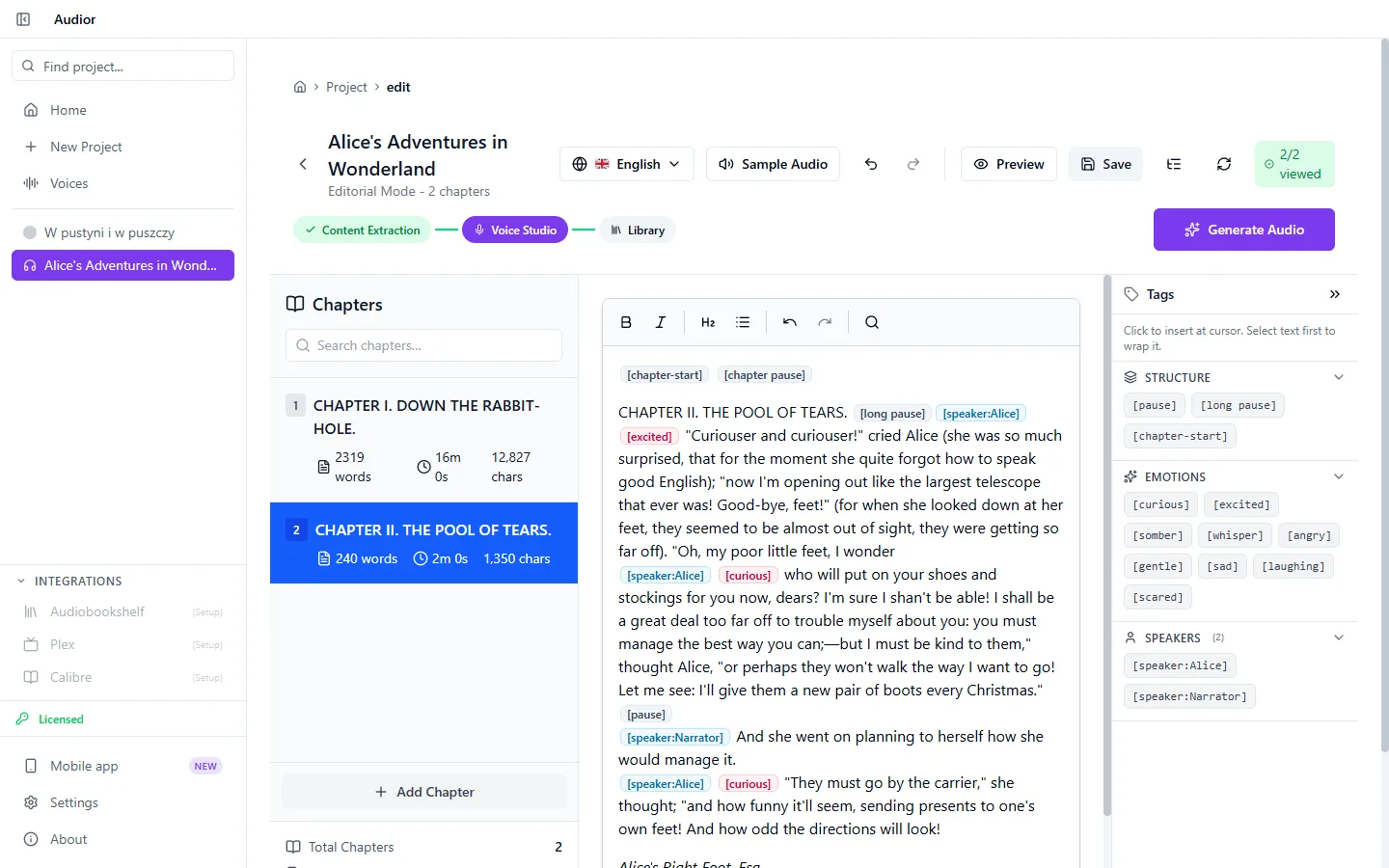
You correct the text before anyone reads it
The recognised text lands in an editor where you fix recognition errors and tidy up the chapters before any audio is generated.
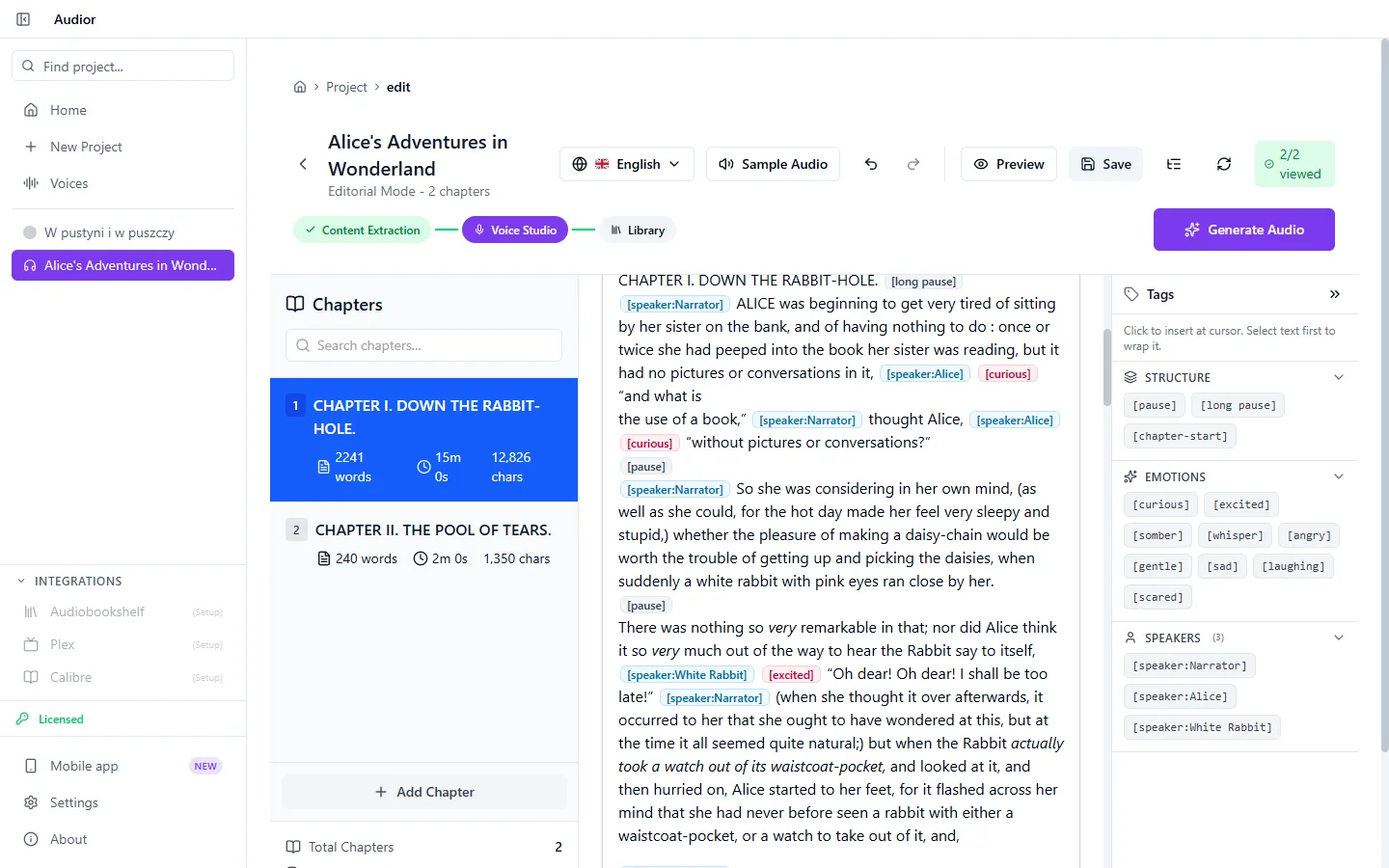
Chapters, emotions and characters
The app splits the text into chapters and marks who is speaking and with what emotion. Emotions reach the speech engine as reading cues, and before generating the app tells you which of them your chosen engine will ignore.
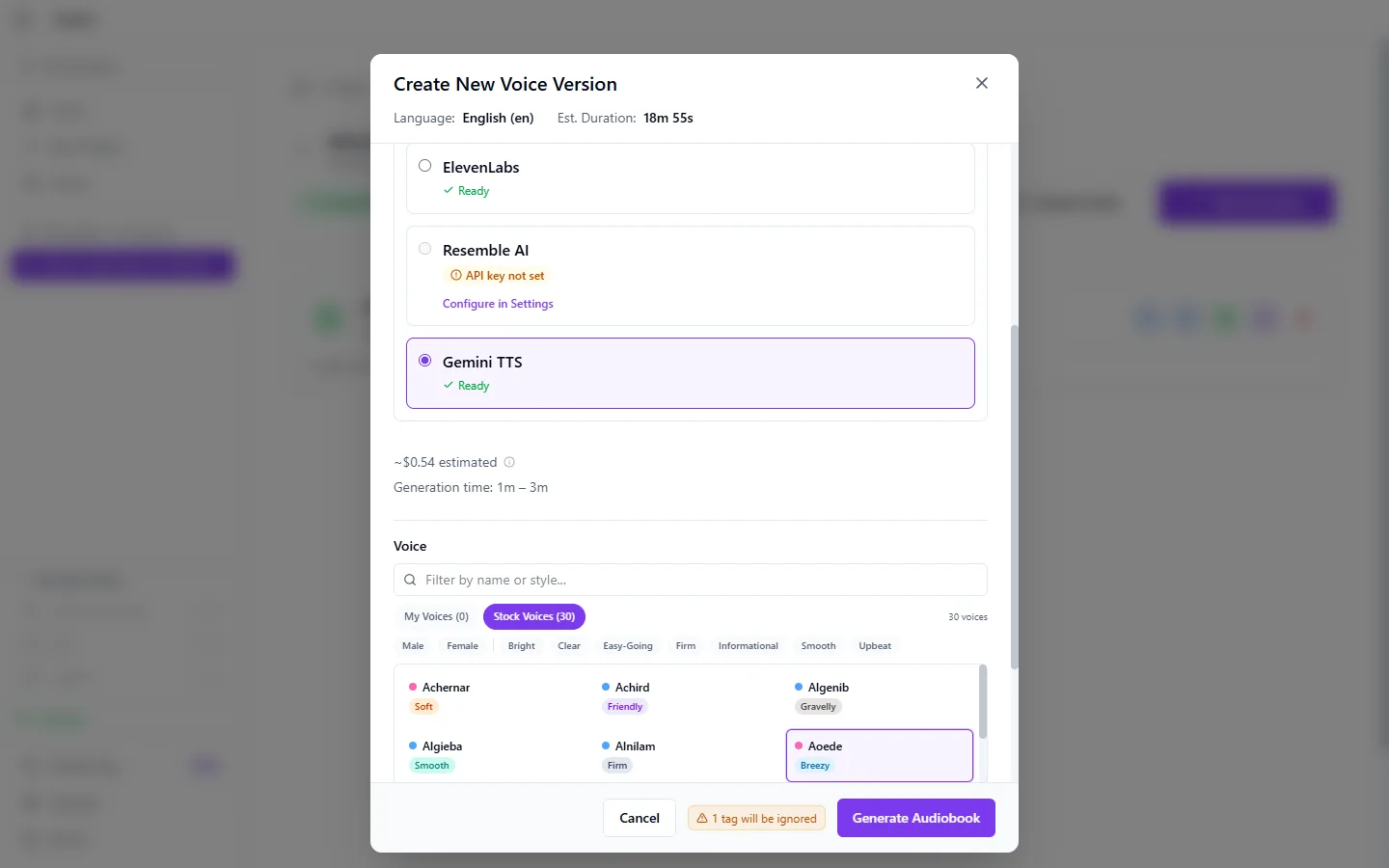
A ready-made voice, or your own
Speech comes from ElevenLabs and Gemini TTS in the cloud, or from Chatterbox and Fish Speech running locally. With ElevenLabs, Chatterbox or Fish Speech you can also clone your own voice, or a loved one’s, from a recorded sample.
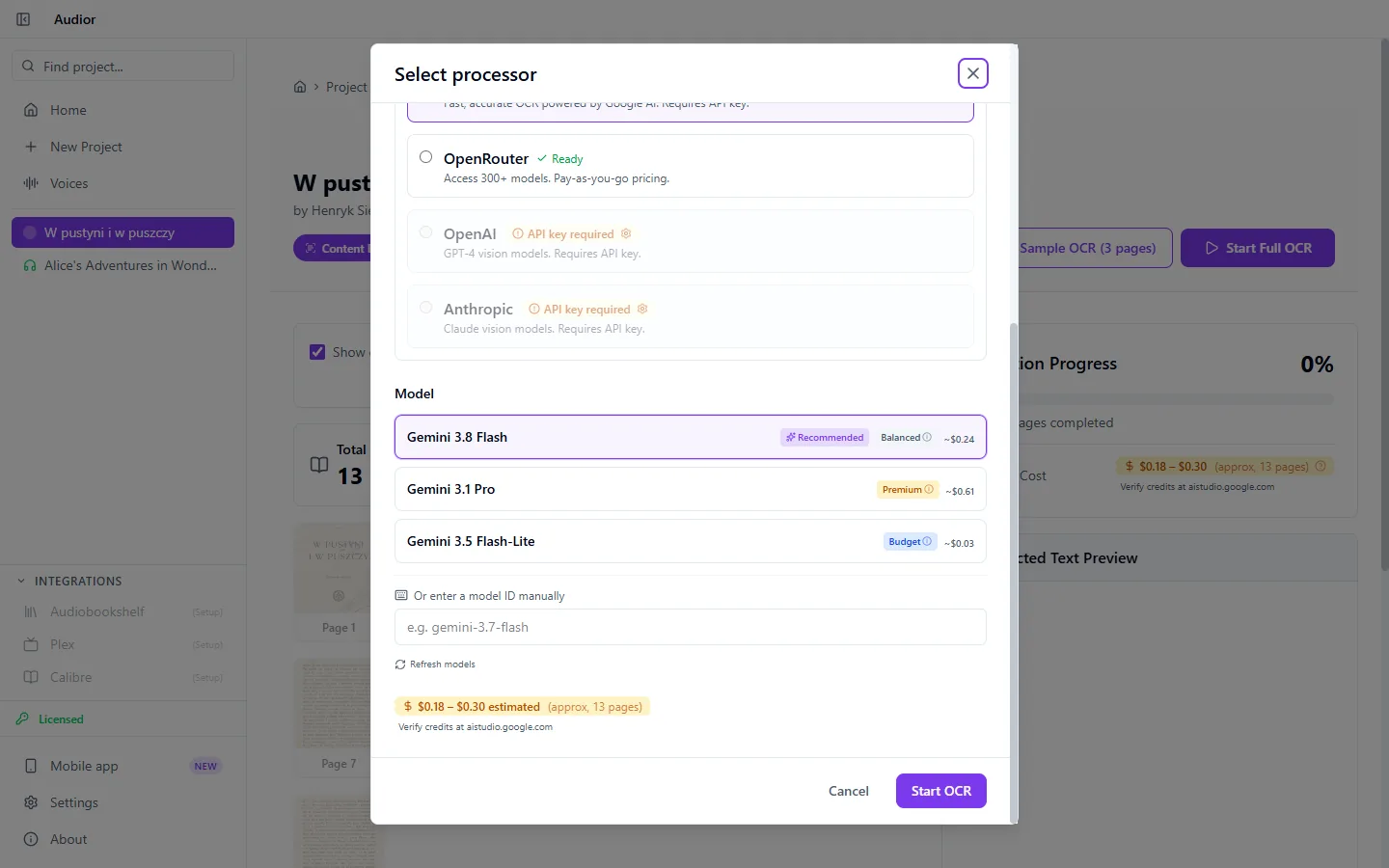
You know what it costs before you start
Before generating, the app estimates the recognition and speech cost for the providers you picked. A fully local path has no processing fees.
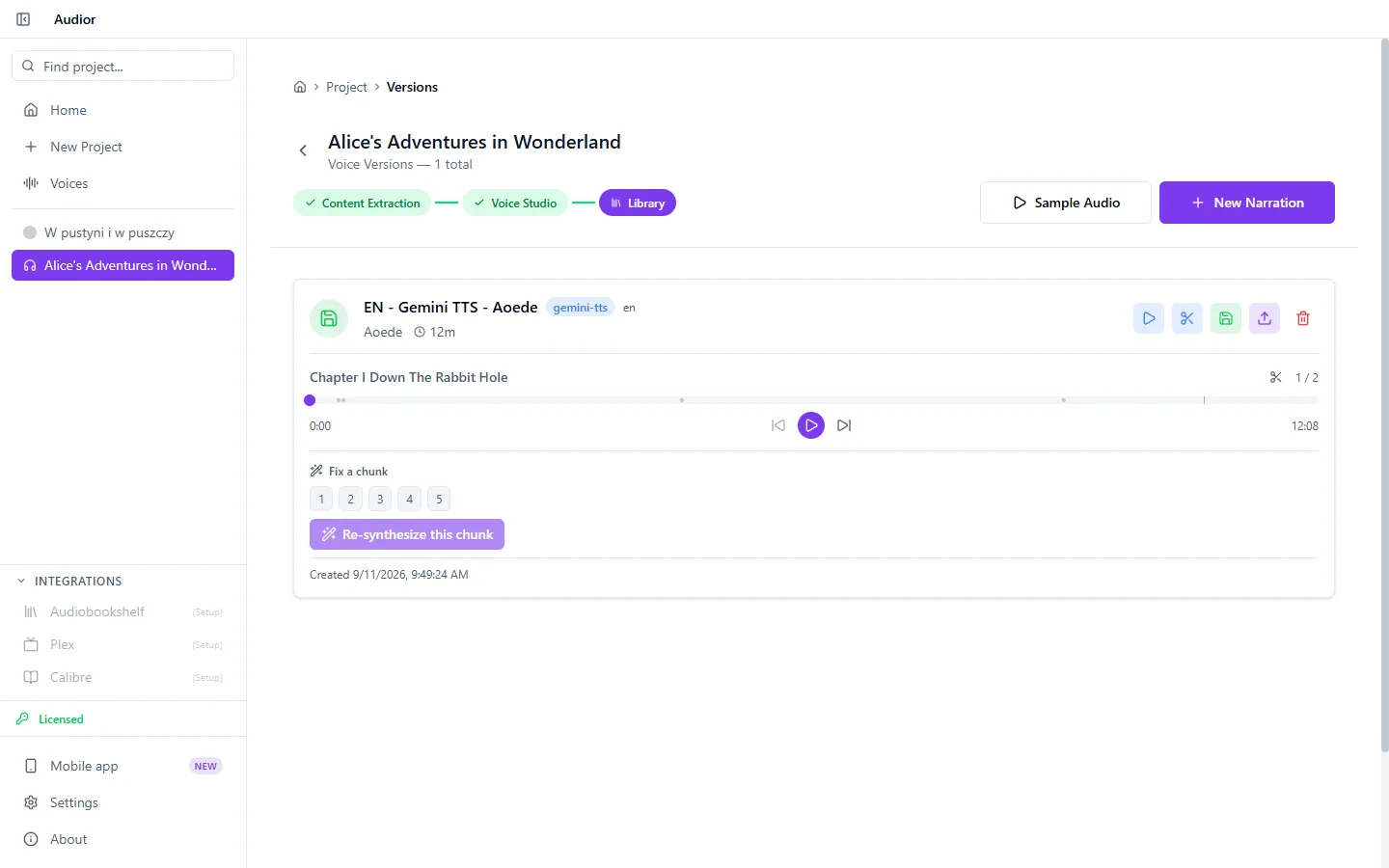
Listen, then fix a single chunk
The finished narration plays chapter by chapter. If one fragment comes out wrong, you re-synthesize just its chunk instead of the whole chapter. Another voice or other settings give you another version of the same book, and you keep the one that sounds best.
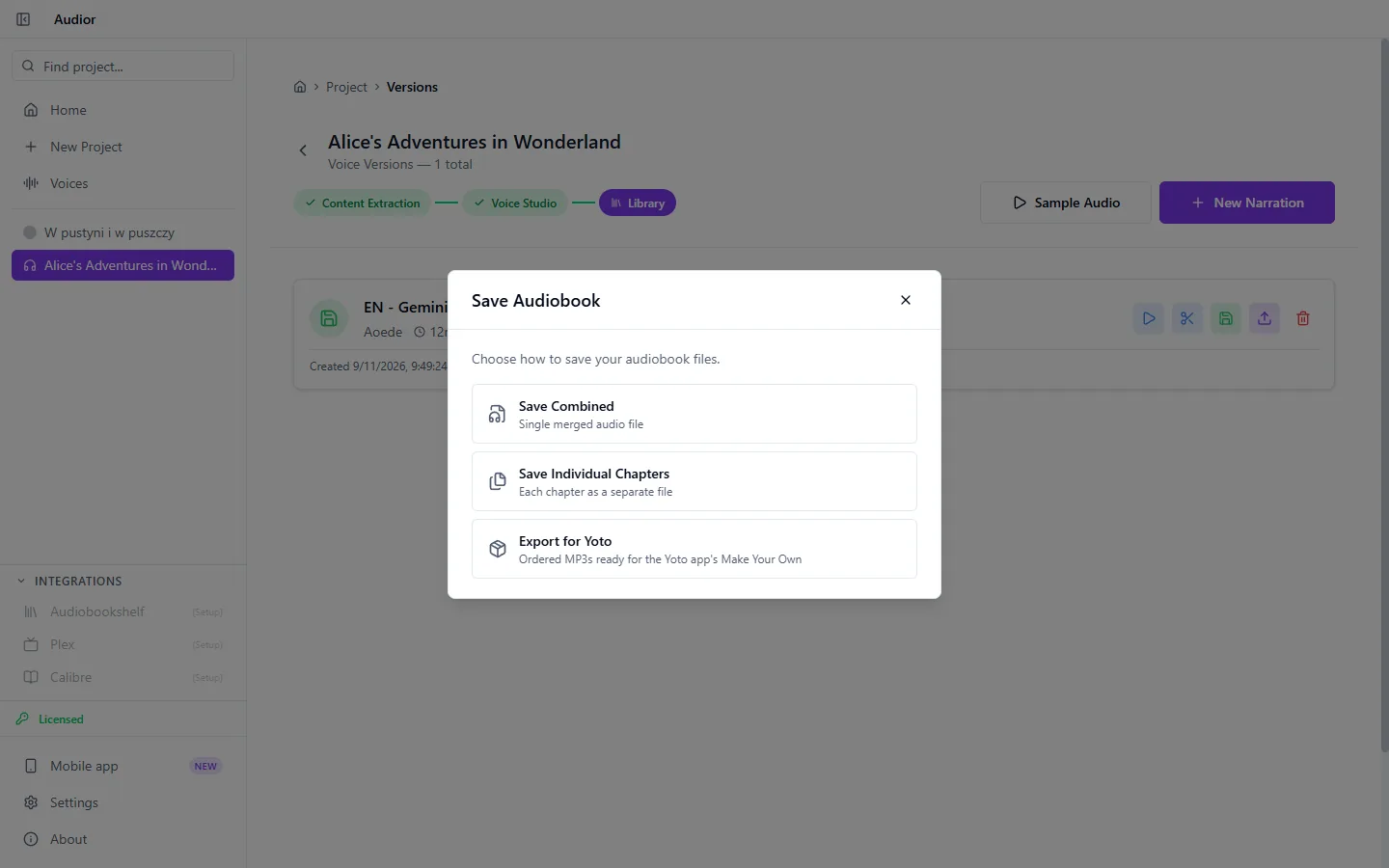
To Audiobookshelf, Yoto, or your disk
Upload the finished audiobook to Audiobookshelf and pick the library and collection it lands in. Send its chapters straight to a Yoto playlist, a new one or one you already have, with a cover and an icon for each track. Or save it to disk as one file, or as one file per chapter.
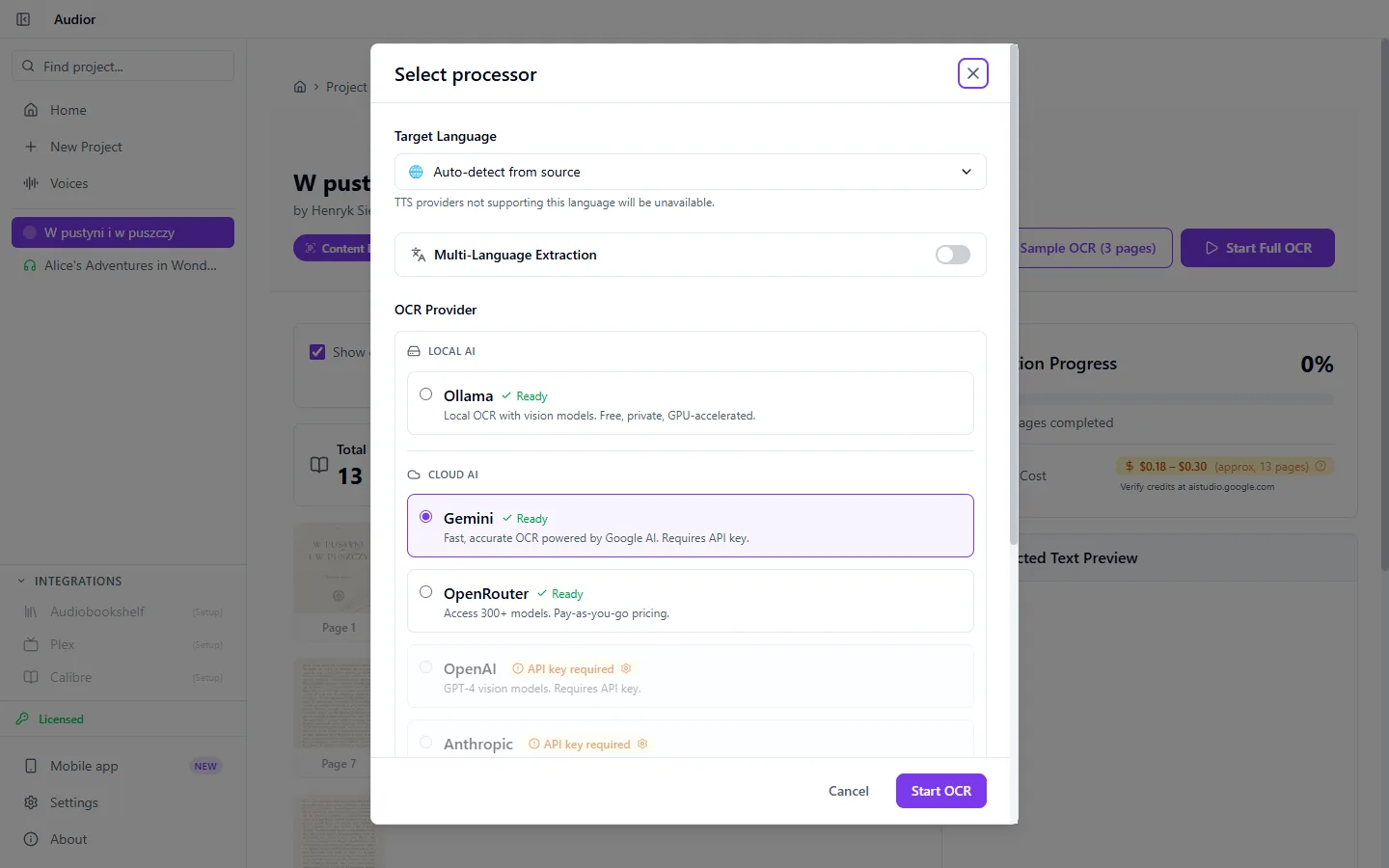
The whole thing can run on your computer
With Ollama for recognition and Chatterbox or Fish Speech for speech, processing happens on your own machine. Local speech runs best on a graphics card: Chatterbox needs about 4 GB of video memory. A CPU alone works too, only much more slowly.
Until release, record on your phone
Audior Desktop will appear on the download page on release day. The Android app is available today, for free.
Explore the mobile app