Your book, read in your own voice
Audior records, listens back to what you recorded, and points out the spots worth fixing. It fixes some of them itself and leaves the rest to you. What comes out is a chaptered audiobook, made entirely on your phone.
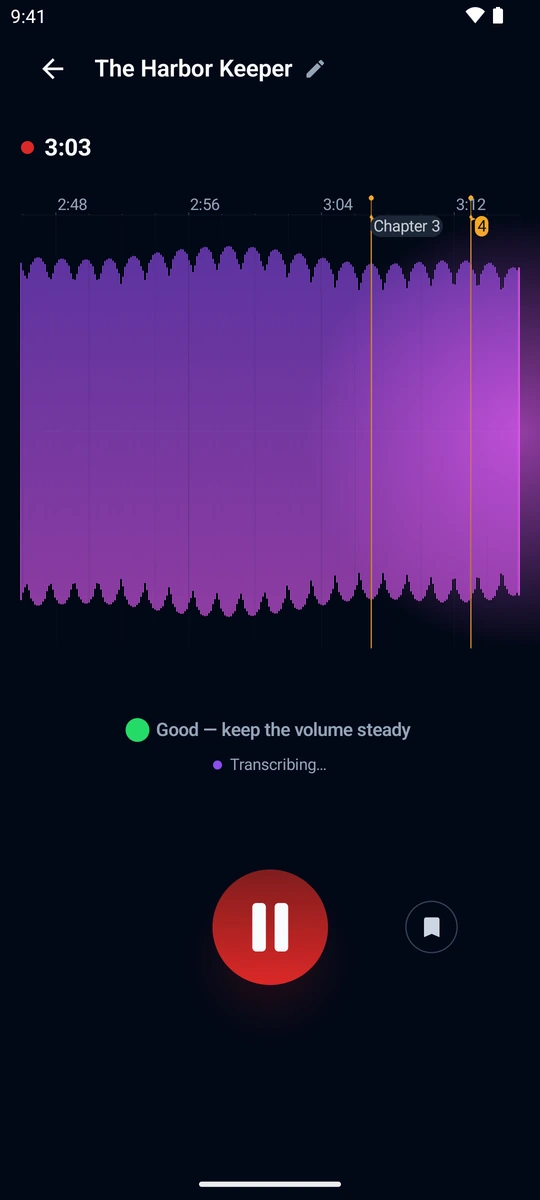
You read, the meter watches your level
The meter shows live whether you are too quiet or clipping, so a take is usable straight away instead of after you listen back. You can drop a chapter mark while you read, with one tap.
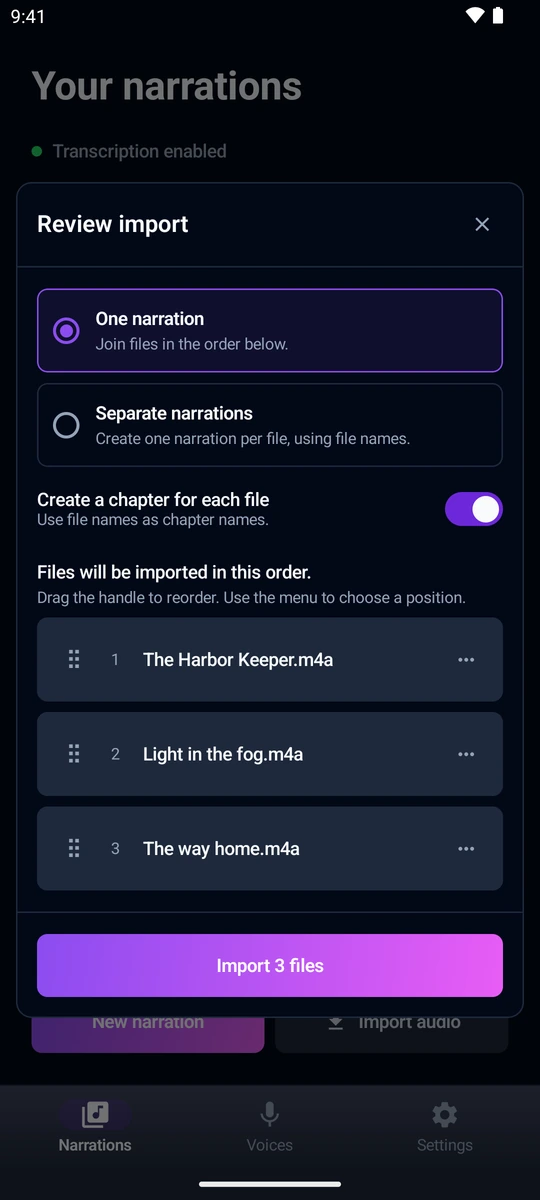
Recording keeps running in the background, so turning the screen off does not end the session. Audio you recorded elsewhere can be imported too, several files at once, as one narration or as separate ones.
The whole text on your phone, nothing uploaded
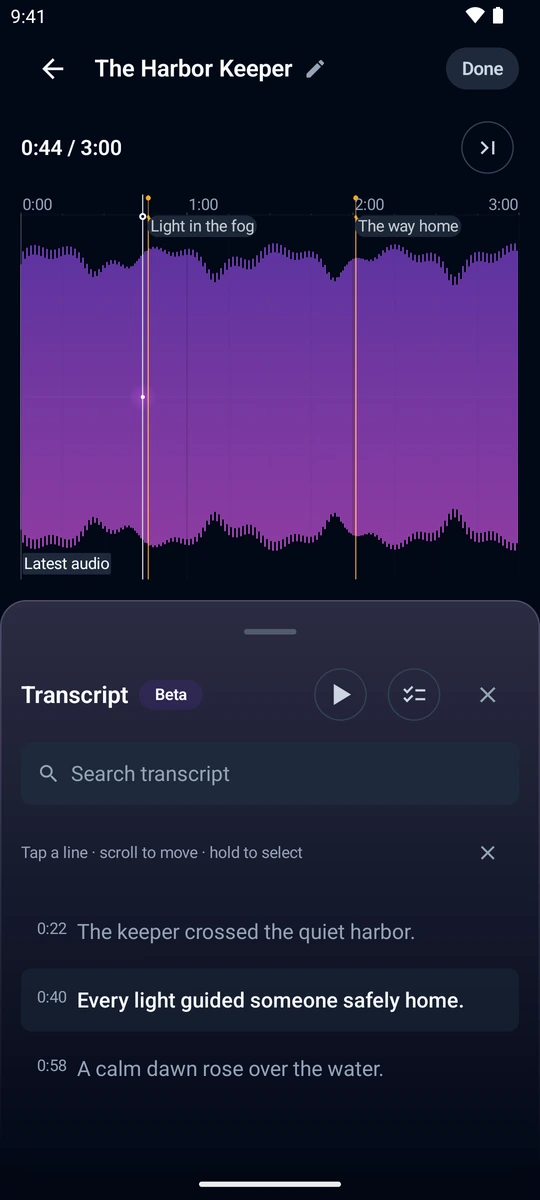
Speech recognition runs on the device and covers 25 European languages. Tap a line to jump to that spot in the recording, or scroll the transcript to move the playhead.
Transcription is still marked experimental. You download its model once, about 640 MB, and after that it works offline and the recording never leaves your phone.
The app hears the stumbles you stopped hearing
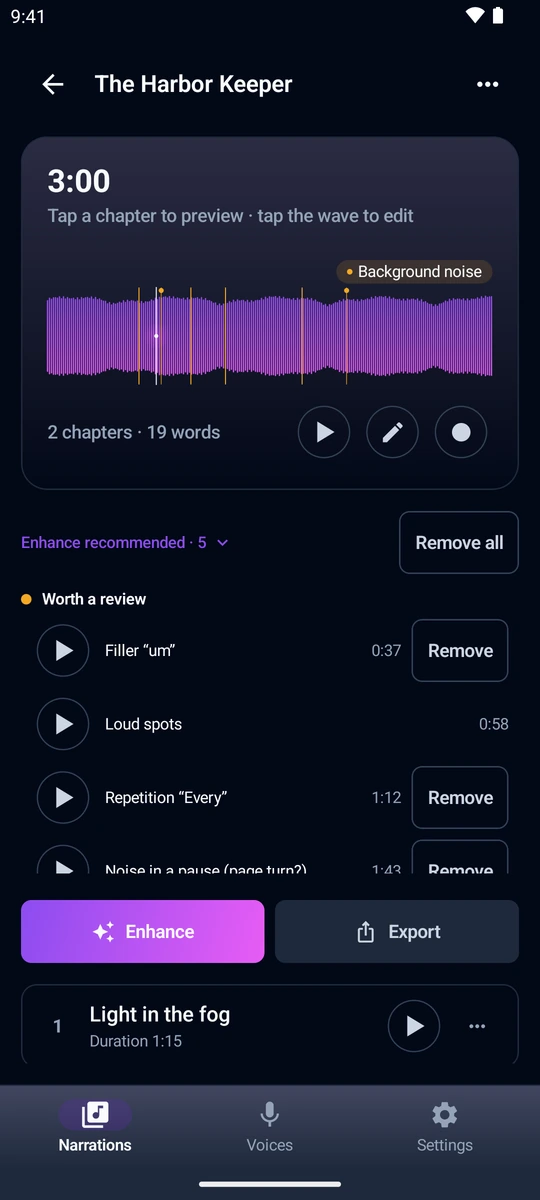
It picks fillers and repeated words out of the transcript, each at its own point on the timeline. Tapping a row plays the passage in context. Each cut covers the word plus 80 ms of margin, clamped so it never clips the next word, and removing a dozen of them at once is a single step you can undo.
Fillers are recognised in English and Polish, repeated words in any language. The transcription model also drops some fillers on its own, so the list shows what survived into the text. It is a shortcut, not a promise that the recording is now free of every stumble.
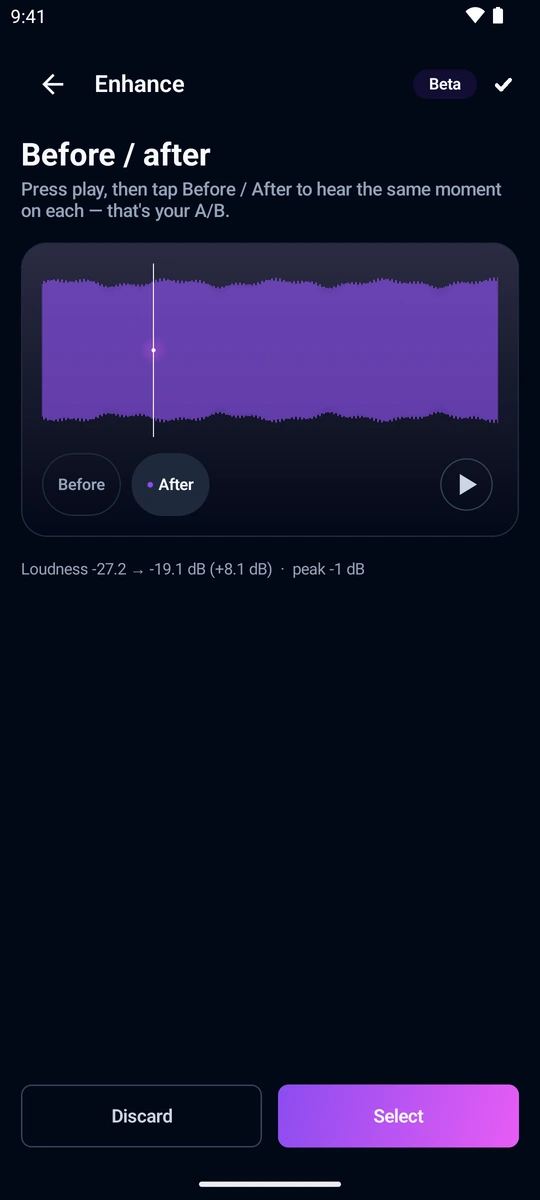
Noise removal on your phone, with before and after
Room noise is removed by a neural network that runs on the device. Until you choose a strength yourself, the app picks one for each take: gentle on a quiet recording, stronger the noisier the room. Loudness levelling and a peak limiter keep the chapters consistent.
Before you keep anything, you switch between the before and after versions. Clean-up can change the character of a voice, so your ear gets the last word, not a number.
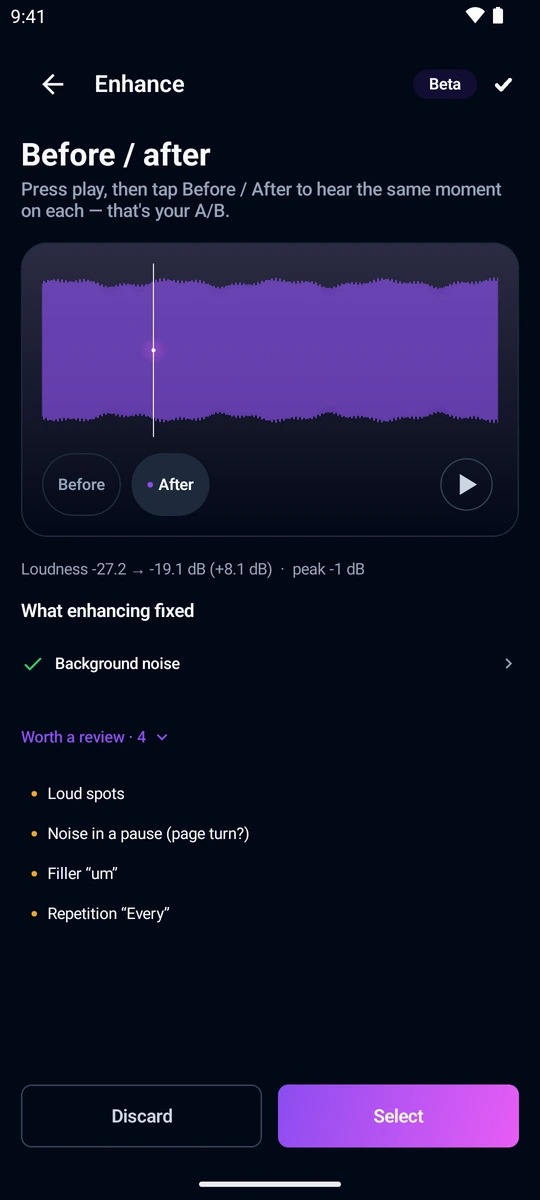
What it fixes itself, and what is left to you
The clean-up pass takes care of background noise, clipping and a level that is too low. Loud knocks, noise inside pauses, fillers and repetitions stay on your side, because only a cut or a re-take fixes those.
After the pass the app measures again. Whatever it could not fix moves to your list, instead of sitting under a promise that has already been tried and failed.
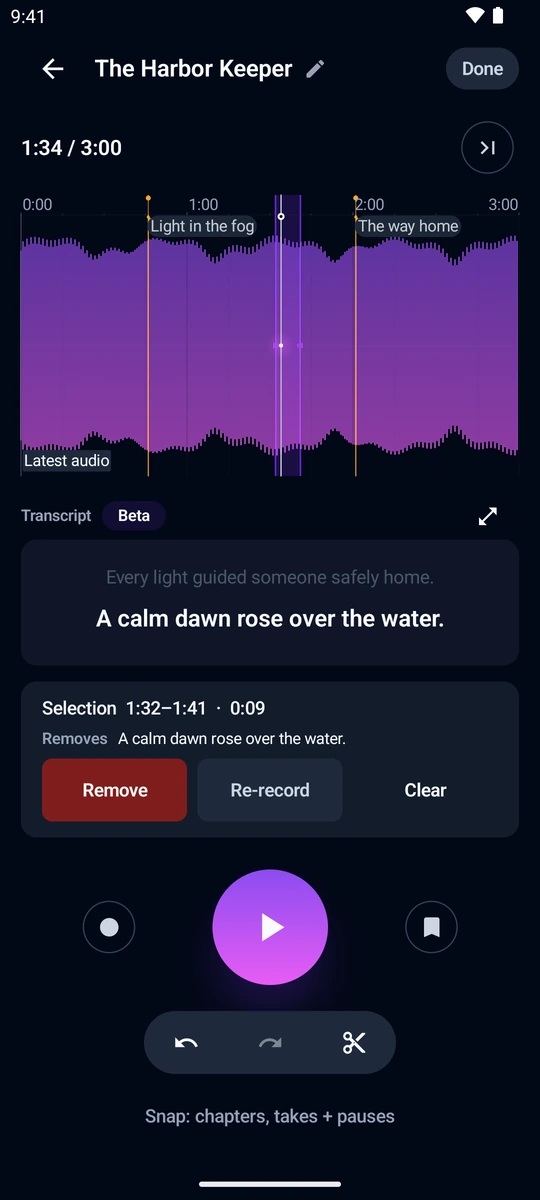
Cuts you will not regret
Selections snap to chapter marks, take boundaries and pauses, so landing on the end of a sentence does not take pixel-perfect aim. A line that did not work gets re-recorded right where it was, without redoing the chapter.
Undo and redo cover your edits, including deleting a whole take.
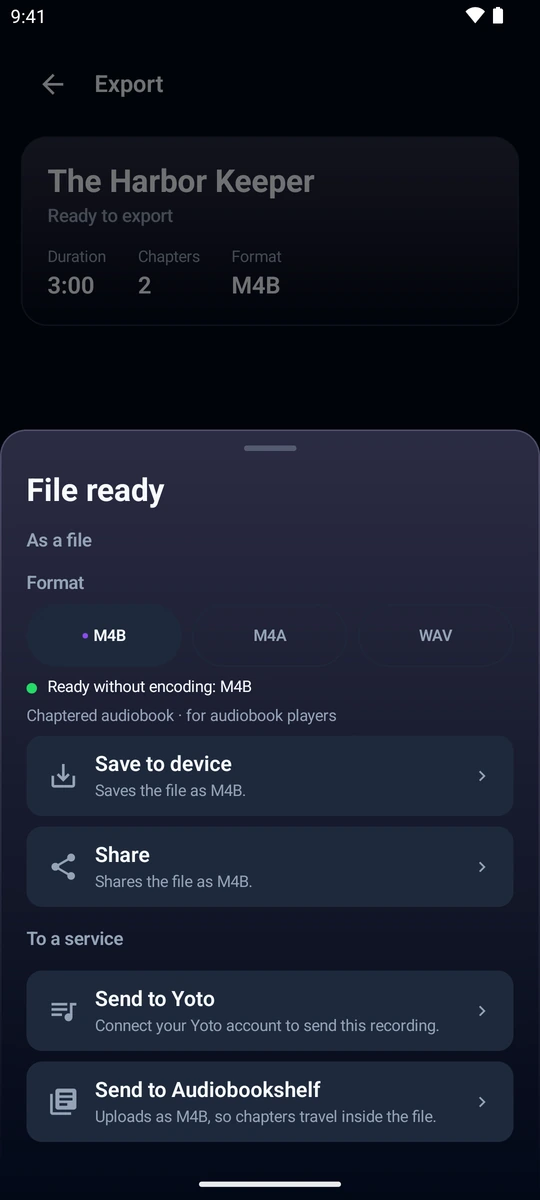
A real audiobook at the end
A chaptered M4B that audiobook players open with chapters and a remembered position, or M4A and WAV when you need a plain file. You can share it on, send it straight to your own Audiobookshelf server, or add it to your Yoto Make Your Own library as a new playlist or onto one you already have, with a cover and an icon for each track.
The chapters come from your own marks, the ones you set while reading and the ones you add later while editing.
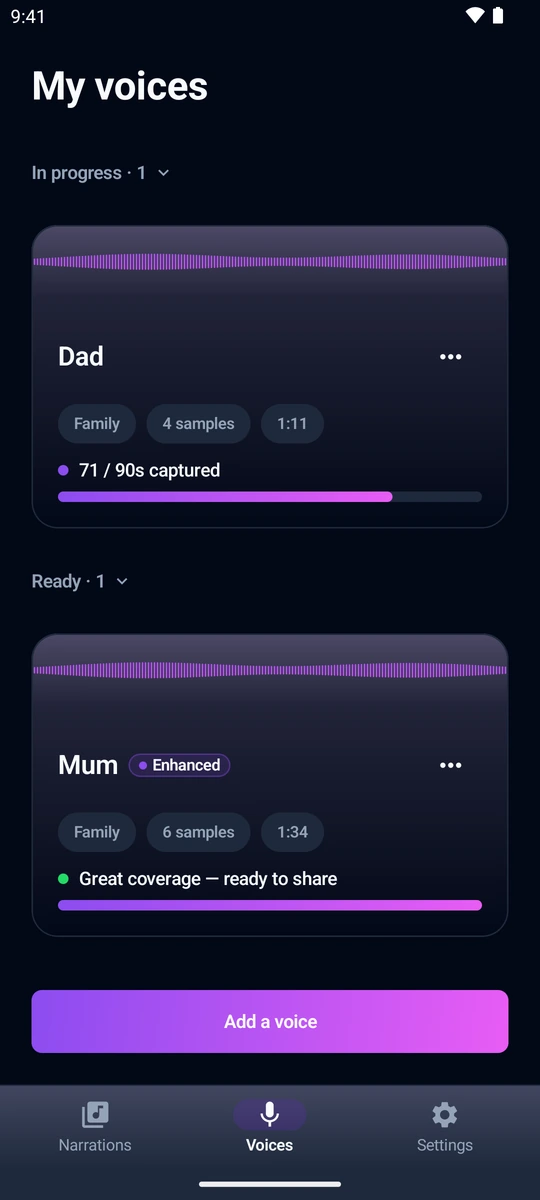
A voice worth keeping
A few short sentences are enough to save someone’s voice in the app. Each take is checked for noise, level and clipping, and a weak one is flagged for a retake. The sample can be cleaned up, compared before and after, and exported as a WAV file to use outside the app.
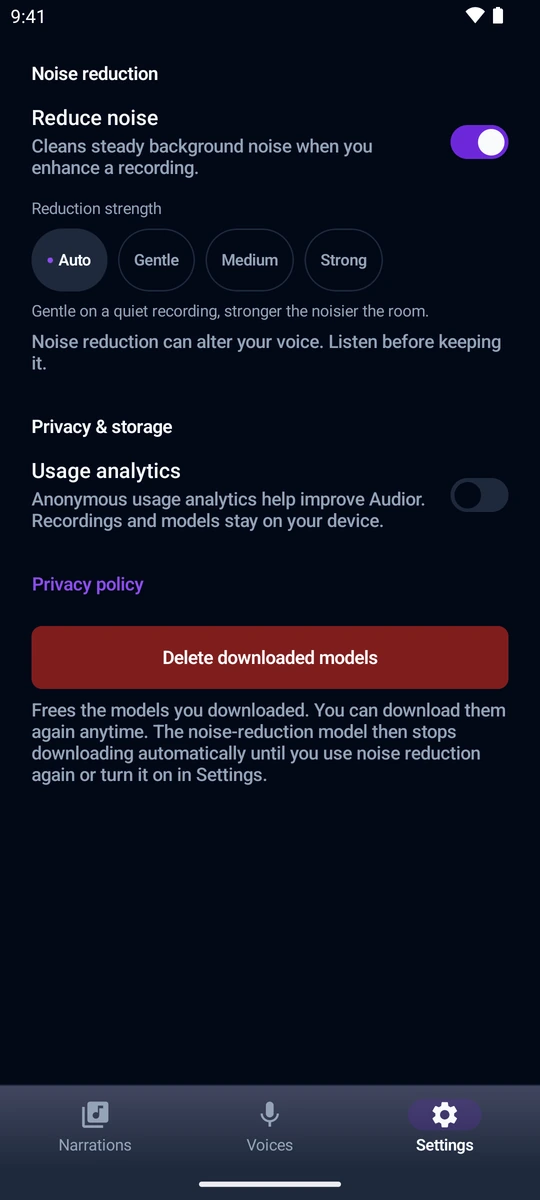
The recording stays on your phone
Recording, clean-up and transcription all run on the device. No Audior account is needed, and diagnostic analytics stay off until you turn them on.
Downloaded models can be deleted from settings in one tap.
Start with one chapter
The app is free, has no in-app purchases and needs no Audior account. A phone and a book are enough.
Get it on Google Play