Turn your favorite books into audiobooks narrated in your voice
Give your children the gift of storytime, even when you can't be there
Built for parents, audiobook enthusiasts, and accessibility advocates. Two different apps: Audior Desktop turns books into audio for you (coming soon), while the free Android app records narration you read yourself (available today; iPhone coming soon).
The bedtime stories they'll remember forever
Working late again?
Record storytime once, and your little ones can hear your voice every night.
Traveling for work?
Your voice travels with them, even across time zones.
Want to preserve grandma's voice?
Audior Desktop clones a voice from a short audio sample, keeping the voices you love alive in their favorite stories.
Audior for Android: a narration studio in your pocket
Record yourself reading, fix mistakes on the waveform, and use on-device AI for optional noise cleanup and private transcripts. Free on Google Play; your audio stays on your phone.
See the Android app in action
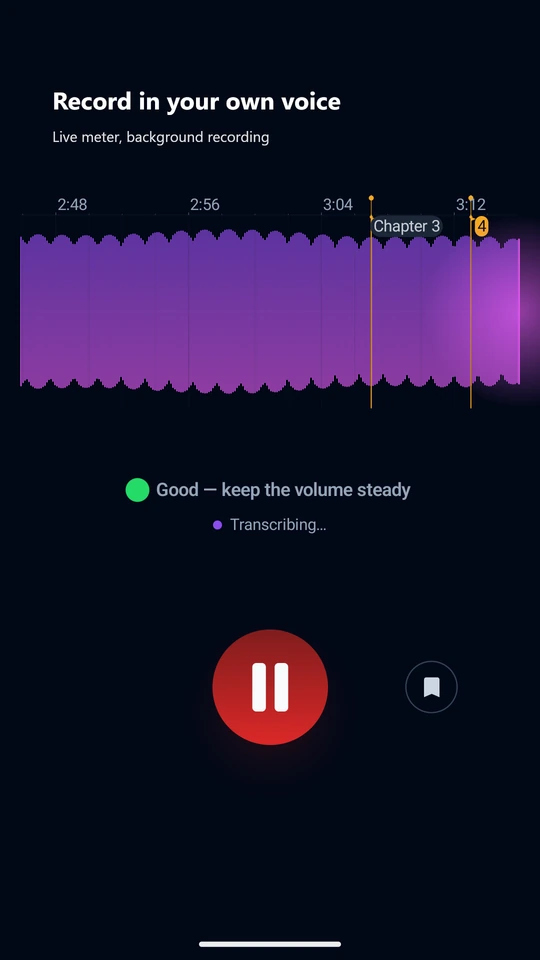
Record with live coaching
The level meter tells you when you are too loud or too quiet, so every take is usable. Recording keeps going with the screen off.
Hears what you missed
Background noise, clipping, a level too low or too high, knocks, page turns, long pauses, fillers and repeated words. Some it fixes itself; the rest it marks on the timeline for you.
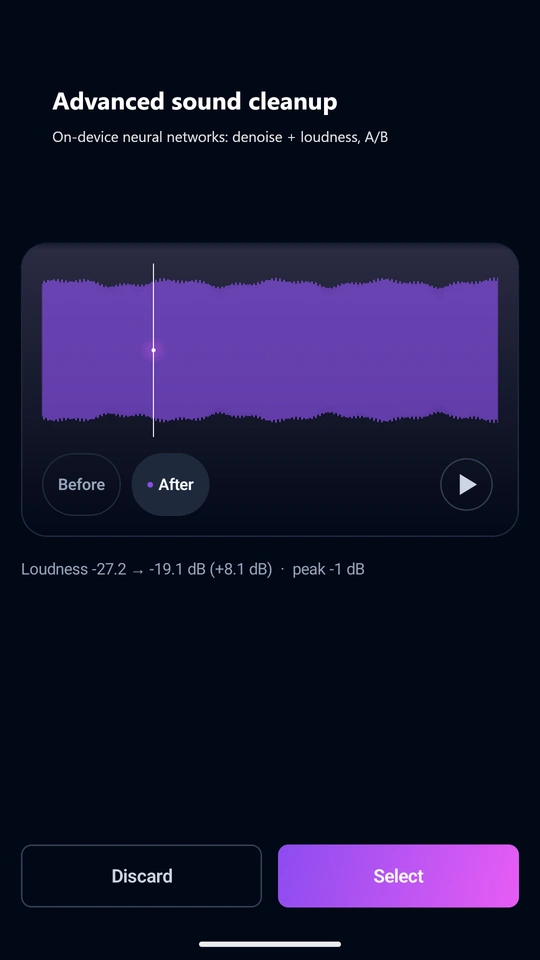
Neural noise cleanup on your phone
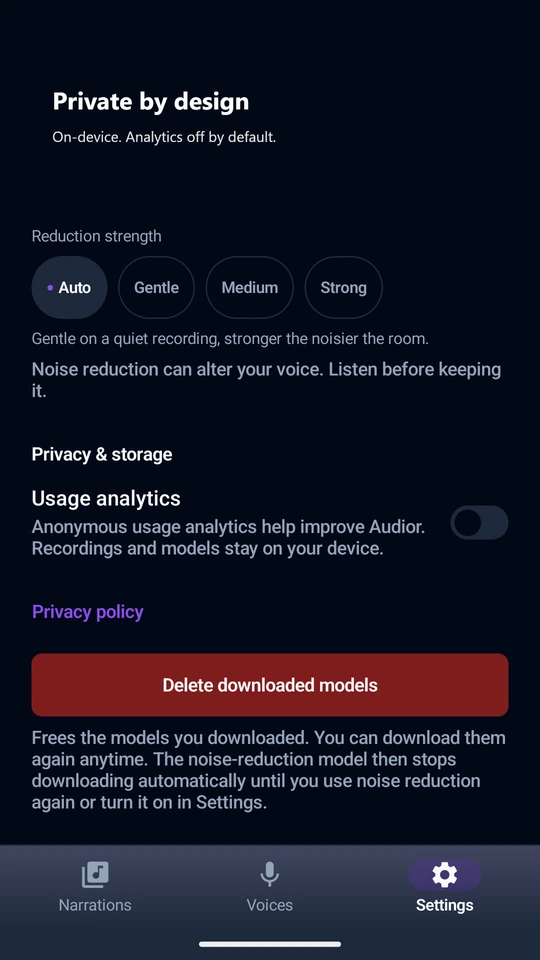
Enhance uses classic audio processing to even loudness and tame peaks, with optional neural noise cleanup fully on-device and an A/B preview.
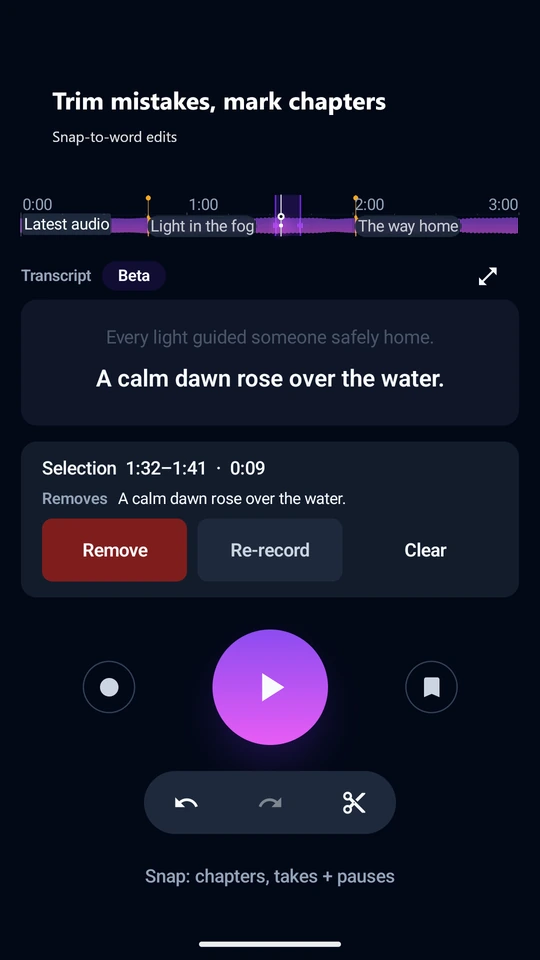
Edit like a studio
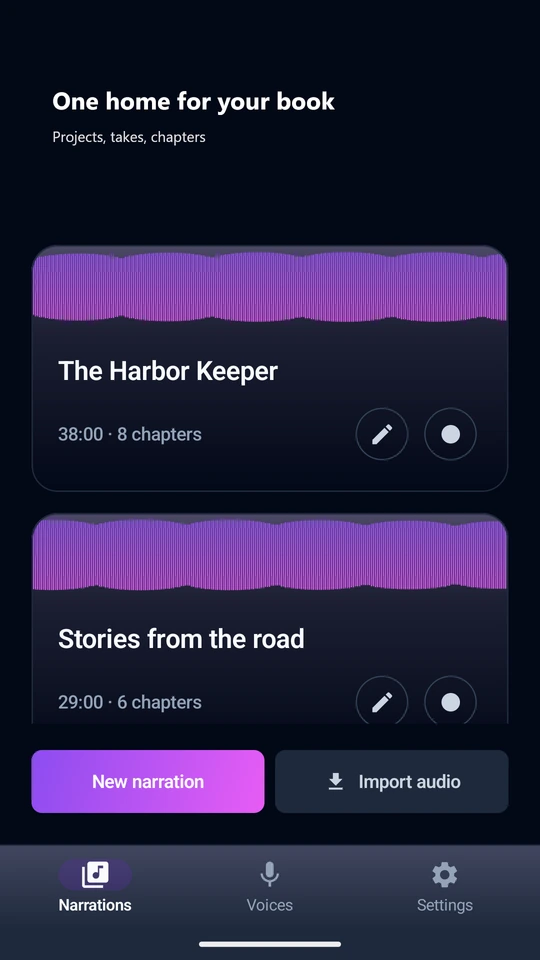
Chapters, takes, cuts, and pause detection right on the waveform. Re-record any sentence in place.
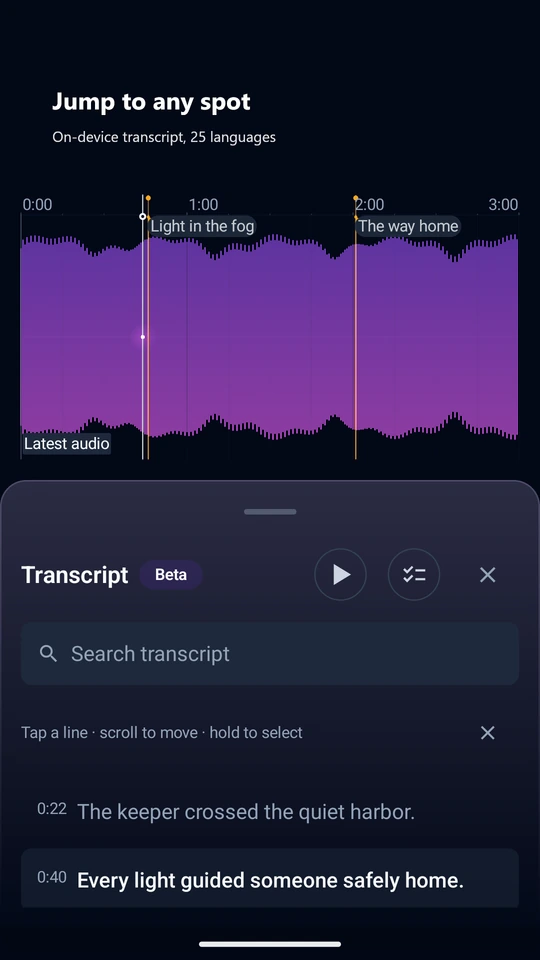
Transcripts without the cloud
On-device speech-to-text in 25 languages helps you find any spot in your recording, fully offline.
Family voices
Capture a loved one's voice by reading a few short lines, and keep it for their stories.
Straight to Yoto and Audiobookshelf
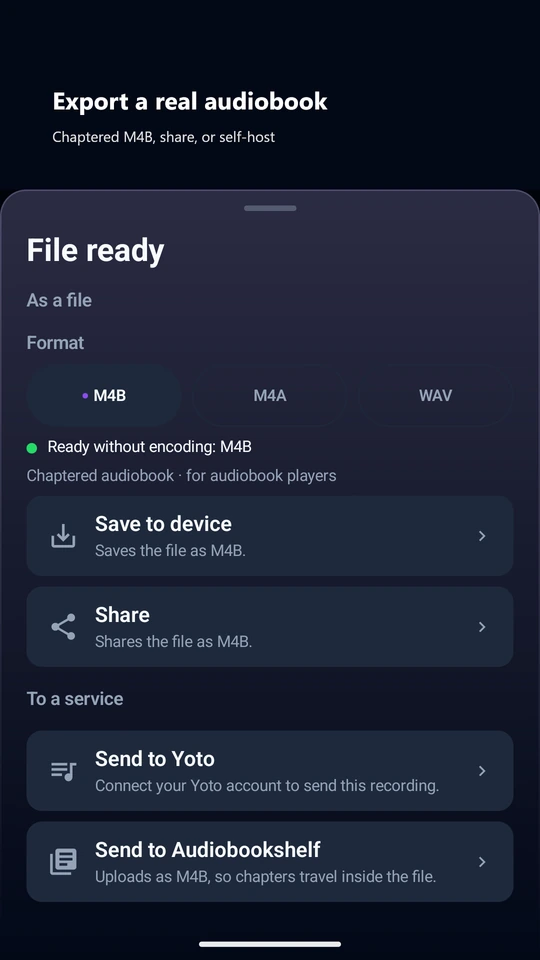
Send a recording to your Yoto Make Your Own library, with a cover and an icon for each track, or upload it to your own Audiobookshelf server. Or export a chaptered M4B for AntennaPod, VLC and most audiobook apps.
Bring recordings you already have
Import audio recorded elsewhere, several files at once, as one narration or as separate ones.
Free on Android
Audior Desktop: turn book photos into audiobooks
Snap pages of a book you own, let AI extract the text, and generate a full audiobook narrated in your voice or a cloned family voice. In development for Windows, macOS, and Linux.
Audior Desktop is still in development. Every section marked "Audior Desktop" describes it, and it will be available right here the moment it ships.
Audior Desktop · Coming soon
A look at the desktop app
Screenshot coming soon
Audior Desktop · Coming soon
How It Works
Snap photos of book pages
Use your phone's camera or any scanning app
AI extracts and formats text
AI reads the text from your pages
Generate audiobook in your voice
Natural text-to-speech or clone any voice
From bookshelf to audiobook in 15 minutes
| Step | Tool | Time |
|---|---|---|
| Scan book pages | Google Drive app (batch scan) | 5 min |
| Import PDF to Audior | Drag & drop | 10 sec |
| Run OCR | One click | 2-3 min |
| Quick edit (optional) | Built-in editor | 2 min |
| Generate audio | Select voice, click generate | 5 min |
Recommended Scanning Apps (free)
- Google Drive- Built-in document scanner, batch mode, auto-enhances
- Microsoft Lens- Great edge detection, exports to PDF
- Apple Notes- Native, fast, syncs via iCloud
Pro Tips
- Use a book stand for consistent angles
- Natural daylight works best
- Google Drive's batch mode: tap camera → scan → keep adding pages → save as PDF
Audior Desktop · Coming soon
Pick your path, from completely free to studio quality
We support multiple AI providers for every step. Mix and match to fit your budget.
On Your Machine
100% free, 100% private
- Text extraction: free
- Audio generation: free
- Voice cloning: free
In the Cloud
Fast, cheap, works on any computer
- Text extraction: fractions of a cent per page
- Audio generation: about $1 for a 30-minute audiobook
- Voice cloning: needs a paid plan
Mix & Match
Combine any providers you want
- Free local text extraction + cheap cloud audio
- Cloud text extraction + free local voices
- Local for everyday, cloud cloning for special projects
Go fully free on your own machine, use affordable cloud AI, or mix the two. We built Audior so every combination works, with the trade-offs laid out upfront instead of buried.
Audior Desktop · Coming soon
Simple, Fair Pricing
One-time license for the desktop app. The Android app is free.
This pricing takes effect when the desktop app ships. Nothing can be purchased today.
Free Trial
$0/ forever
- 1 project, up to 50 pages
- All features included
- No account needed
Full License
$19/ one-time payment
- Unlimited projects
- All features
- Priority support
Your stories stay yours
- The Android app runs entirely on your phone; on desktop you choose local AI or a cloud provider
- Desktop AI provider keys are stored by your OS and never leave your machine
- No accounts, and analytics stay off unless you turn them on
Download Audior
Available today on Android. Desktop builds for Windows, macOS, and Linux are on the way.
Desktop builds are in the works. Downloads will appear right here the moment they ship.
Frequently Asked Questions
Android app
Is the Android app free?
Yes. The Audior app on Google Play is free, with no account and no ads. The app itself is available in 13 languages.
Does my audio leave my phone?
No. Recording, cleanup, mastering, and transcription all run on your device. Your recordings stay with you unless you choose to share them.
Can I make a real audiobook with just my phone?
Yes. Record chapter by chapter, fix mistakes on the waveform, run one Enhance pass, and export a chaptered M4B file that plays in Audiobookshelf, AntennaPod, VLC and most audiobook apps. You can also send it straight to your Yoto library or your own Audiobookshelf server.
Which languages does transcription support?
The optional on-device model auto-detects 25 European languages, including Polish, and runs fully offline. Transcripts are a navigation aid, not a word-for-word record.
When is the iPhone version coming?
It is in development. The desktop app for Windows, macOS, and Linux is on the way as well; check back here for release news.
What AI runs on my phone?
Two neural models run fully on-device: DPDFNet for optional noise cleanup and Parakeet-TDT (via sherpa-onnx) for transcripts. Loudness and peak control use classic audio processing, not AI. Nothing is uploaded for cleanup or transcription.
Desktop app (coming soon)
How do I scan a physical book?
Use any document scanning app on your phone. We recommend Google Drive (Android/iOS) for its batch scanning mode, or Microsoft Lens for its edge detection. Simply take photos of each page, then export as PDF.
Is it legal to create audiobooks from books I own?
Creating audiobooks for personal use from books you legally own is generally permitted. However, distributing or selling these audiobooks would typically require permission from the copyright holder. Audior is designed for personal and family use.
What languages are supported?
OCR language coverage depends on which vision model you choose, so check the model you plan to use. For text-to-speech it depends on the provider: ElevenLabs covers 28 languages, Chatterbox 23, and Fish Speech 8.
Can I use it completely offline?
Yes! Use Ollama for local OCR and Chatterbox or Fish Speech for local text-to-speech. All processing happens on your machine with no internet required after initial setup.
What AI providers are supported?
For OCR: Gemini, Ollama (local), OpenRouter, OpenAI, Anthropic. For TTS: ElevenLabs, Chatterbox (local), Fish Speech (local), Gemini TTS. You can mix and match based on your needs.
How long does a 20-page children's book take?
Approximately 10-15 minutes total: ~5 minutes for scanning with Google Drive, ~2-3 minutes for OCR processing, and ~5 minutes for audio generation. Results vary based on your hardware and chosen providers.
Do I need a GPU for local text-to-speech?
A GPU with at least 6 GB of VRAM (e.g. NVIDIA RTX 3060) is strongly recommended for Chatterbox and Fish Speech. CPU-only mode works but is significantly slower. If you don't have a dedicated GPU, use ElevenLabs, which runs in the cloud and works on any computer.
Which GPUs work well with Audior?
Any NVIDIA GPU with 6+ GB VRAM and CUDA support works. Good budget options: RTX 3060 12 GB, RTX 4060 8 GB. Apple Silicon Macs (M1/M2/M3/M4) also work via MPS acceleration. AMD GPUs are not currently supported for local TTS.
How much does a full audiobook cost with cloud TTS?
It depends on the provider and book length. A typical novel (~400k characters) costs roughly $48 with ElevenLabs at standard rates. Shorter books like children's books (10k–30k chars) cost $1–4. Local TTS (Chatterbox, Fish Speech) is completely free after setup.